
State Connect Wiki Map
Every hub, platform note, and disclaimer in one place for the idle road builder.
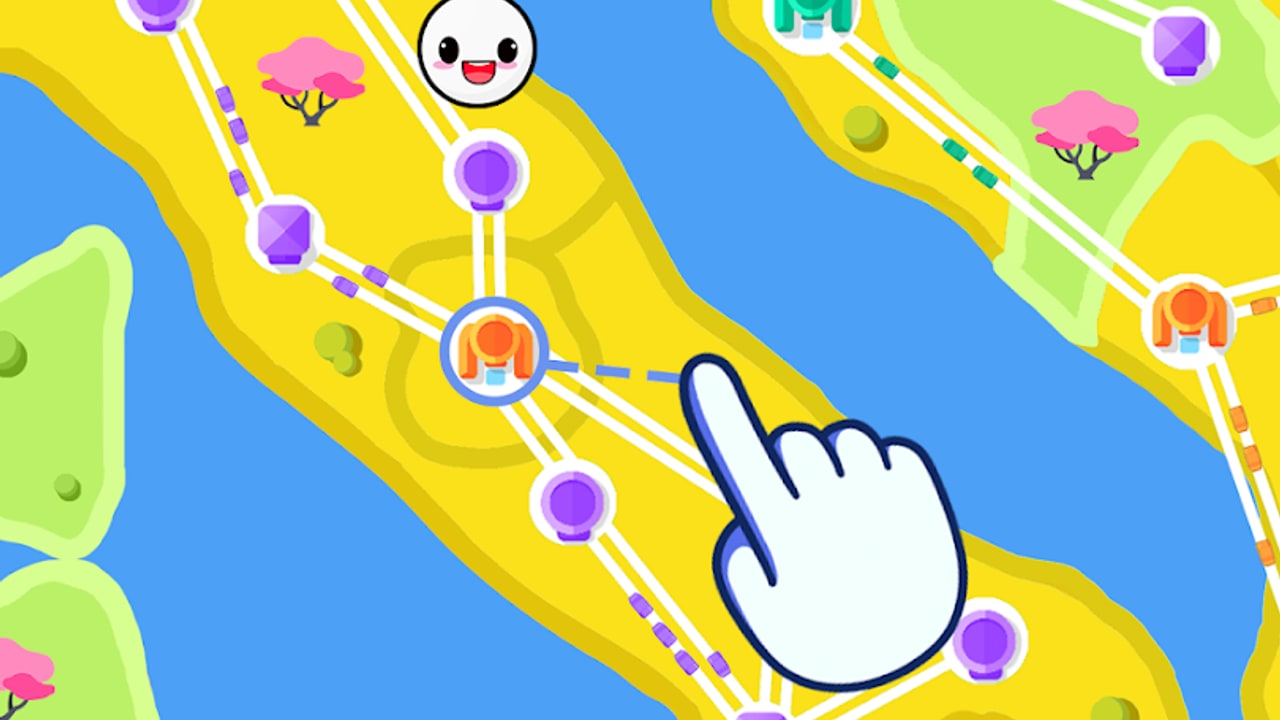
Welcome to the unofficial State Connect wiki — a fan-made map of everything players search for in State Connect: Traffic Control, the idle road-builder from Twin Crab / Casual Azur Games (package com.TwinCrab.Motorpolia). Build highways between cities, upgrade hubs so traffic multiplies, unlock new territories, and chase continent completion across a growing world map.
This page is the table of contents for the whole site. Start here if you are new, sending a friend a single link, or checking whether a topic already has a dedicated hub.
What State Connect is
State Connect is a free-to-play idle traffic simulator. You slide roads from city to city, watch cars stream along the network, collect income, and spend it on upgrades that spawn more vehicles and open denser routes. The long-term loop is territorial: finish a region’s connections, unlock the next land mass, and keep expanding until you clear every continent currently in the client. When the live map is done, progress soft-locks until the developer ships another region pack — a pattern we document on the updates hub.
The fantasy is simple and sticky: you are a road manager painting highways across bright, stylized maps with 100+ cities and satisfying car flow. Controls stay swipe-friendly on phones while the economy rewards both short active sessions and longer idle stretches.
Platforms and where to play
State Connect ships on:
- Android via Google Play (search State Connect: Traffic Control or open the listing for
com.TwinCrab.Motorpolia) - iOS / iPadOS via the App Store under the same display name
- Windows through Google Play Games on PC for players who prefer mouse and keyboard idle sessions
Publisher-facing pages list AI GAMES FZ LLC with the studio site at aigames.ae. Development credit commonly appears as Twin Crab / Casual Azur Games. The game launched around December 2021, has crossed 10M+ downloads, and remains free with ads and optional in-app purchases.
We describe store destinations in prose rather than stuffing the page with raw outbound buttons. Always download from the official Play Store or App Store listing so you receive the signed client and update channel the developer actually ships.
Full wiki map
Use these hubs as your primary navigation. Every path uses a trailing slash and works from any language once the site localizes links.
Codes
Active and expired promo codes, redemption steps, and reward notes. Check here after every store update — gift waves often arrive quietly beside “bug fix” changelogs.
Guides
Walkthroughs and how-to articles, starting with getting started. Expect region unlocks, continent completion, upgrade priorities, and early-economy tips as the guide library grows.
Tier list
Priority rankings for upgrades, boosters, and spend order so free-to-play and light-spender routes stay efficient.
Tools
Calculators, checklists, and helper utilities for planning income, tracking continent percent, or preparing for the next land drop.
Updates
Continent progression notes, soft-lock guidance, and changelog habits so you know when new land actually appeared versus when the store only shipped fixes.
This Wiki Hub
The overview you are reading — platforms, developer credit, hub index, and the unofficial disclaimer.
Cross-link freely: a codes article can send readers to guides, an updates note can point at tier list upgrade advice, and tools can deep-link into updates when a new region changes the math.
Developer and publisher notes
- Developer: Twin Crab / Casual Azur Games
- Publisher: AI GAMES FZ LLC
- Studio web presence: aigames.ae (policy and company pages live under that domain)
- Genre: Idle traffic / road-builder simulation
- Monetization: Free with interstitial ads and optional IAP (ad removal and boosts)
When something breaks — failed purchases, missing continents, or account restore issues — contact the publisher through the store’s support link or the addresses listed on aigames.ae. This wiki cannot reset progress, grant codes, or push client updates.
How to use the wiki efficiently
- New install? Read getting started, then claim anything listed on codes.
- Mid-game? Compare upgrade priorities on the tier list and skim tools for planning helpers.
- Finished every map? Confirm soft-lock status on updates instead of reinstalling out of frustration.
- Sharing the site? Send this Wiki Hub so friends see the full map in one URL.
Internal links always use markdown anchors such as codes — never bare URLs inside articles — so navigation stays readable and locale-safe.
Disclaimer
This is an unofficial fan wiki. State Connect, State Connect: Traffic Control, Twin Crab, Casual Azur Games, AI GAMES FZ LLC, and related marks belong to their respective owners. We are not affiliated with, endorsed by, or employed by the developer or publisher. Game mechanics, region order, and store text can change without notice; verify critical details in the live client and official store listings. Codes and strategies here are community references, not guarantees of rewards or progress.
If you spot outdated continent info or a broken internal link, fix the source JSON on the content side of this project rather than hand-editing generated MDX. Thanks for playing — and for keeping the highway map honest for the next driver who lands here.
Frequently Asked Questions
Quick answers to the most common State Connect questions.
Is this an official State Connect wiki?
No. This is an unofficial fan resource. For account, purchase, or client issues, use the official store listing or AI GAMES FZ LLC channels on aigames.ae.
What platforms does State Connect support?
Android (Google Play), iOS / iPadOS (App Store), and Windows via Google Play Games. Always install from the official store page for package com.TwinCrab.Motorpolia.
Who develops and publishes the game?
Development is credited to Twin Crab / Casual Azur Games. Publishing appears under AI GAMES FZ LLC.
Where should I start on this wiki?
Does the wiki cover continent unlocks and soft-locks?
Yes. See the updates hub for land-drop cadence and soft-lock tips when every current continent is finished.
Can this site grant codes or reset my progress?
No. We only document publicly shared codes and strategies. Redemption and saves live entirely inside the official game client.