
Getting Started with State Connect
First highways, first upgrades, and a clean early-game plan for Android and iOS.
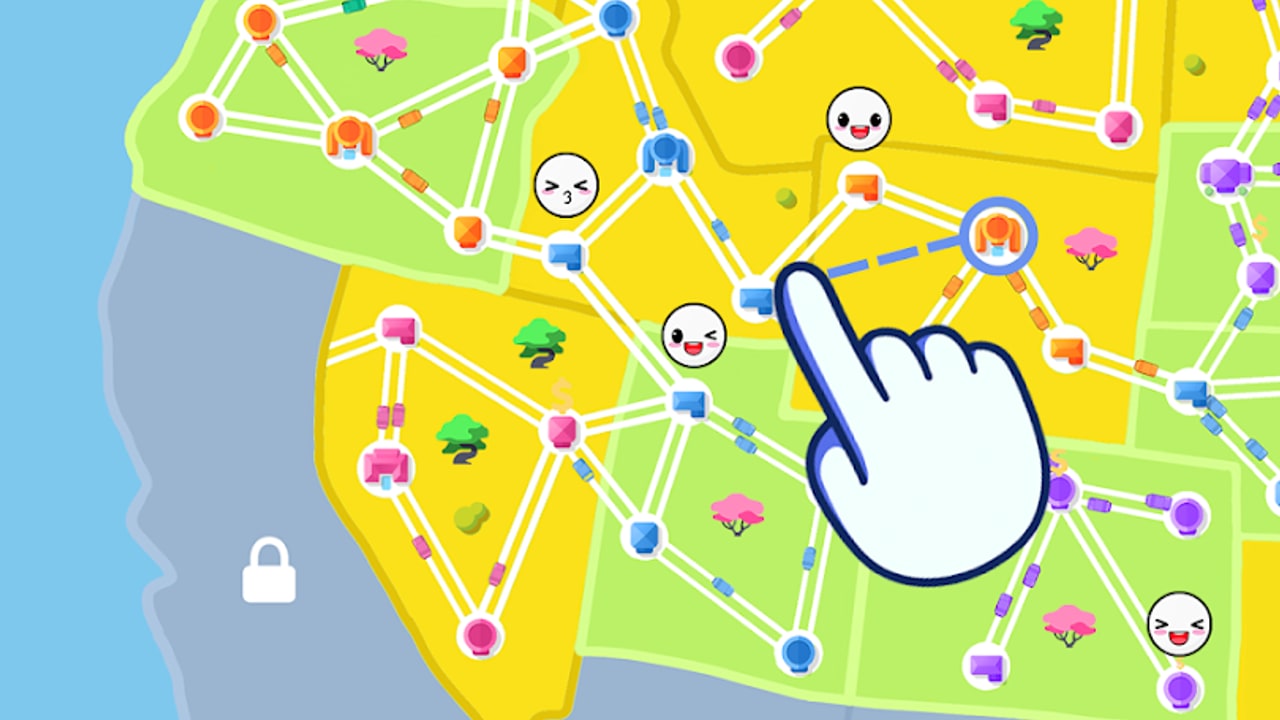
State Connect: Traffic Control is an idle road network game. You connect cities by dragging from one to another, cars drive themselves along those highways, and every trip pays money you spend on city upgrades and global multipliers. This getting-started guide walks through your first session so you leave the tutorial with a durable income loop instead of a thin, underfunded map.
What you are building
Each city is a node. Dragging between two cities spends cash (or unlocks a free starter link) and creates a highway. Traffic then flows automatically. More cities, denser links, and higher city levels mean more cars and more earnings. Separate from city buttons, the game offers global upgrades for Speed, Earnings, and Experience. Speed makes cars finish routes faster, Earnings multiplies payouts, and Experience raises how quickly you level—and levels are what unlock new states and later continents.
Platforms are Android and iOS (package com.TwinCrab.Motorpolia), with a Windows listing in some storefronts. There is no multiplayer mode; progress is a single-player idle loop with ads and optional in-app purchases.
First connections
After the short onboarding, connect the nearest starter cities before zooming out. Short links cost less and start producing immediately. Prefer a small ring or triangle over one long spoke into empty land. Cars need destinations: orphaned dead-ends look busy but underperform compared with a tight cluster where every city feeds two or three neighbors.
Keep an eye on your cash bar while you drag. If a proposed highway is too expensive, upgrade a city you already own or wait for idle ticks instead of watching every ad. Early ads can help, but burning attention on tiny boosts slows learning. Save stronger ad rewards for moments when a city upgrade or global Earnings level is one tick away.
Reading the UI
Typical layout elements you will use constantly:
- Map — pinch to zoom, pan across states, tap cities for upgrade panels.
- Cash — primary currency for highways and most upgrades.
- Level / Experience bar — fills as traffic runs; new levels unlock regions.
- Upgrade panels — city-local levels plus the global Speed / Earnings / Experience trees.
- Shop / codes — diamonds, skips, and promo redemption when available.
If a button looks locked, it usually means you need a higher player level or more cash. Do not force long-distance links across unfinished local networks; the unlock regions guide explains how XP gates land, while upgrades explains spend order in depth.
First upgrades that actually matter
Spend early cash in this rough order:
- Raise the busiest starter cities one or two levels so they spawn more cars.
- Put a point or two into global Earnings once city income is stable.
- Add Speed when routes feel long relative to your income ticks.
- Keep Experience from falling too far behind—new land is gated by level.
Avoid dumping everything into Experience on day one if your cities are still level one. XP without cash production creates a soft stall: you unlock land you cannot afford to wire. Avoid the opposite extreme too—maxing cash while ignoring Experience delays Alaska, South America, and later continents. Balance is the theme; the progression tips page expands on session structure.
Redeem codes early
Promo codes sometimes grant cash, diamonds, or boosts. Common community codes include WELCOME, STATECONNECT, and TRAFFIC2024. Codes may expire without notice, so redeem them in your first hour and always verify the live list on Codes. Redemption is usually inside a shop, settings, or gift UI—enter the string exactly, claim rewards, then spend diamonds on meaningful skips rather than impulse cosmetics.
Offline income and ads
State Connect continues earning while you are away, but offline income is capped and slower than an active session. Plan short check-ins: collect, upgrade the weakest high-traffic city, extend one smart highway, then leave again. Ads appear frequently. Treat them as optional accelerators for Earnings boosts or timers you already planned to clear, not as mandatory chores.
A solid first-hour checklist
- Finish the tutorial and connect a compact starter cluster.
- Redeem codes from the Codes page.
- Upgrade starter cities before drawing expensive long highways.
- Buy early Earnings, then mix Speed and Experience.
- Unlock the next state only when current cities can fund new links.
- Skim Complete Continents so you know the long-term USA finish line.
Common beginner mistakes
- Spiderwebbing too early — long crossings look impressive but starve local upgrades.
- Ignoring Experience — you stall on the same map while others unlock Alaska.
- Rushing every ad — fatigue sets in; selective ads beat constant skips.
- Leaving cities at level one — empty nodes drag down the whole network.
- Skipping the hub — return to the Guides Hub when you need the next topic.
What to read next
Move to Upgrades Explained for a full breakdown of Speed, Earnings, and Experience, then Unlock Regions when your level bar becomes the bottleneck. Use the tier list when you want a ranked spend order, and watch Updates for new territory drops. Keep highways dense, keep cities leveling, and let idle traffic do the grinding while you make a few high-impact decisions each session.
Frequently Asked Questions
Quick answers to the most common State Connect questions.
How do I build a highway in State Connect?
Drag from one city to another on the map. If you can afford the link, a road appears and cars begin driving automatically.
What should I upgrade first as a beginner?
Raise busy starter cities, then buy global Earnings. Add Speed for faster loops and keep Experience high enough to unlock new states on time.
Where do I redeem WELCOME or STATECONNECT?
Open the in-game codes or shop gift field, enter the code exactly, and claim rewards. Confirm active codes on the Codes page because gifts expire.
Does State Connect earn money while I am offline?
Yes, but offline income is capped and slower than playing actively. Check in periodically to collect and reinvest.
Should I unlock the next state as soon as it appears?
Not always. Fully upgrade cities in your current region first so new land has the cash backing it needs.
Is State Connect multiplayer?
No. State Connect is a single-player idle road-building game focused on your personal network and unlocks.