
State Connect Guides Hub
From first drag-to-connect to finishing continents—every how-to in one place.
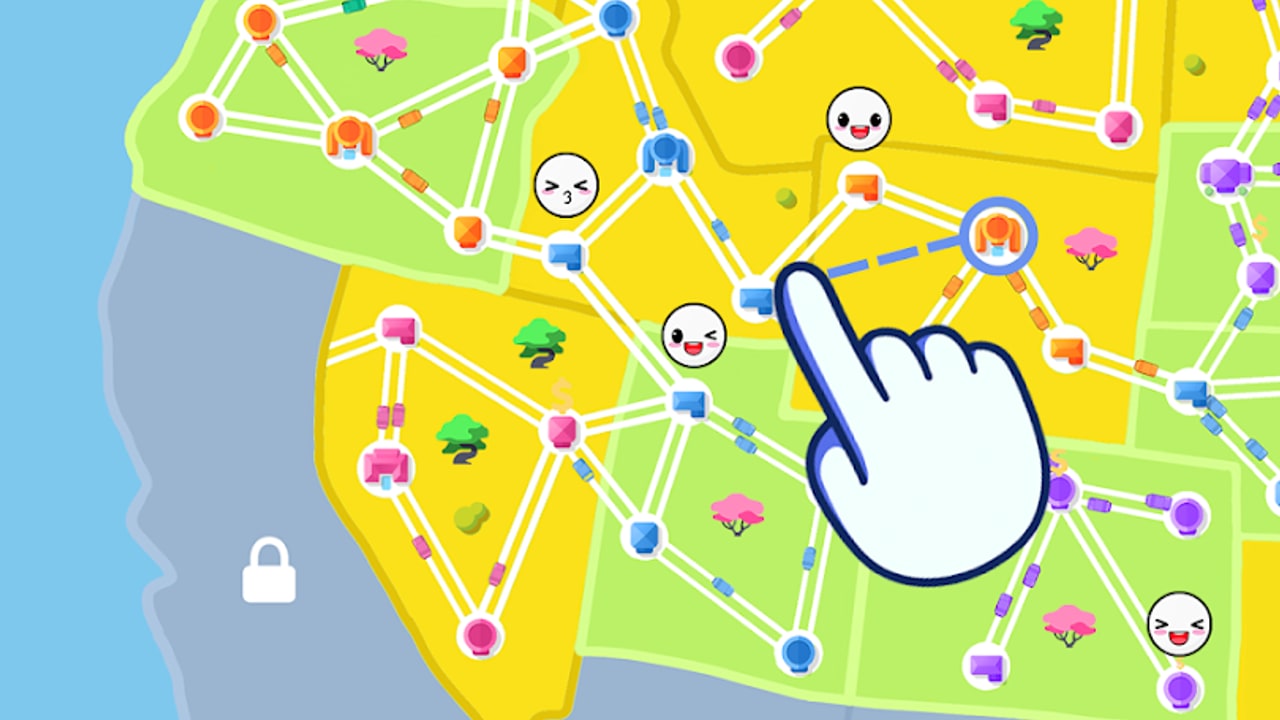
Welcome to the State Connect guides hub. State Connect: Traffic Control is an idle road-building game from Twin Crab / Casual Azur Games. You drag city to city to lay highways, watch cars auto-drive, earn money, upgrade cities, and push global Speed, Earnings, and Experience until new states and continents open. This hub is the map of every walkthrough on the wiki so you can jump straight to the topic you need.
If you just installed the app, skim Controls & Building Highways for drag, pan, zoom, and HUD basics, then open Getting Started. Getting Started covers the first connections, when to spend early cash, and how to redeem promo codes such as WELCOME, STATECONNECT, and TRAFFIC2024 before they expire. Pair that page with the live Codes list whenever a new gift drops.
All State Connect guides
Controls & Building Highways
Input and HUD walkthrough for Android, iOS, and Windows: drag city-to-city, pan and zoom, cash and level bars, upgrade panels, shop/codes entry, and the mis-taps that waste early money.
Getting Started
Day-one walkthrough for Android and iOS. Learn drag-to-build highways, claim offline income, spend your first upgrades wisely, and avoid the common mistake of unlocking land before cities in the current region are strong enough to fund the next push.
Upgrades Explained
Deep dive into city upgrades versus the three global trees—Speed, Earnings, and Experience. Understand what each tree actually multiplies, how upgrade order changes income curves, and when to pause expansion to max a region. Cross-check priorities with the tier list when you want a ranked spend order.
Unlock Regions
How player level and Experience unlock new states, what Alaska and South America feel like after the contiguous USA, and how soft locks appear when the visible map is fully connected. Use this guide when your level bar is crawling and you need a clear XP plan.
Progression Tips
Efficiency playbook: rings versus long lines, when watching ads is worth the time, how diamonds fit into a free-to-play session, and how to structure idle windows so capped offline income does not strand your run. Best read after you understand upgrades.
Complete Continents
Checklist for finishing the USA, pushing into later continents, and staying productive while waiting for content updates. Ideal for mid- and late-game players who have every city on the current map linked but still need denser income.
Soft-Lock After Europe
What to do when North America and Europe look finished and the next land (often Africa teased) will not open. Separates 98% maps from true waits, bans panic wipes, and lists banking tasks while you follow updates.
Offline Earnings
Claim rhythm, densify-before-quit prep, caps and diminishing returns, multipliers with AFK, and how offline cash differs from active Experience grinding—especially useful during soft-locks.
Map & Continent Overview
Player-reported path through USA stages, Canada, Mexico, Alaska, and Europe; how world select gating feels; and why South America, Africa, Russia, or Asia must stay provisional until your client unlocks them.
How to use this hub
Read guides in order if you are brand new: controls, getting started, upgrades, unlock regions, progression tips, then continent completion. When the atlas feels done, jump to soft-lock, offline earnings, and map overview. Veterans can skip straight to unlock regions, complete continents, or soft-lock. Every article uses locale-agnostic internal links with trailing slashes so language switching keeps you on the same topic.
State Connect rewards patience more than frantic tapping. Cars keep moving while the app is open; offline earnings exist but are capped and slow compared with an active session. Ads appear often—use them intentionally for boosts that matter, not as background noise. Fully upgrade cities inside a region before rushing the next landmass; thin networks on brand-new states produce weak cash flow and stall Experience.
Related wiki pages
- Codes — working promo codes and redemption steps
- Tier List — ranked upgrade and spend priorities
- Tools — claim habits, ads, and crystal rules
- Updates — patch notes and new territory news
Bookmark this Guides Hub and return after each major unlock. When a new continent ships, we update the unlock, soft-lock, map, and continent guides first, then refresh progression tips with any meta shifts. Keep building dense local rings, keep Experience climbing, and treat every highway as both traffic and income infrastructure.
Frequently Asked Questions
Quick answers to the most common State Connect questions.
Where should a new State Connect player start?
Skim Controls for drag and HUD basics, open Getting Started next, redeem any active codes, then read Upgrades Explained before unlocking a second major landmass.
Do these guides cover Android, iOS, and Windows?
Yes. Core systems—drag highways, city upgrades, Speed/Earnings/Experience, and region unlocks—are the same across Android, iOS, and Windows.
How often are the guides updated?
We revise after major territory drops and balance changes. Check Updates for patch context, then return here for rewritten how-tos.
Should I finish upgrading a region before unlocking the next?
Yes in most cases. Fully upgraded cities fund Experience and cash far better than a sparse web on brand-new land.
What if I finished Europe and nothing new opens?
Read Soft-Lock After Europe and Map & Continent Overview. Bank upgrades and cash, follow Updates, and do not wipe the save.
Are promo codes listed inside the guides?
Guides mention common codes and link to the Codes hub for the live list, rewards, and expiry notes.
Is State Connect a Roblox game?
No. It is a mobile idle road-building title by Twin Crab / Casual Azur Games on Android, iOS, and Windows (package com.TwinCrab.Motorpolia).